Platform
Platform
IoTReady Engine is our software layer with deep AI and IoT integration, and the Engineer is the AI builder inside it. What each does and what it connects to.
What Engine is
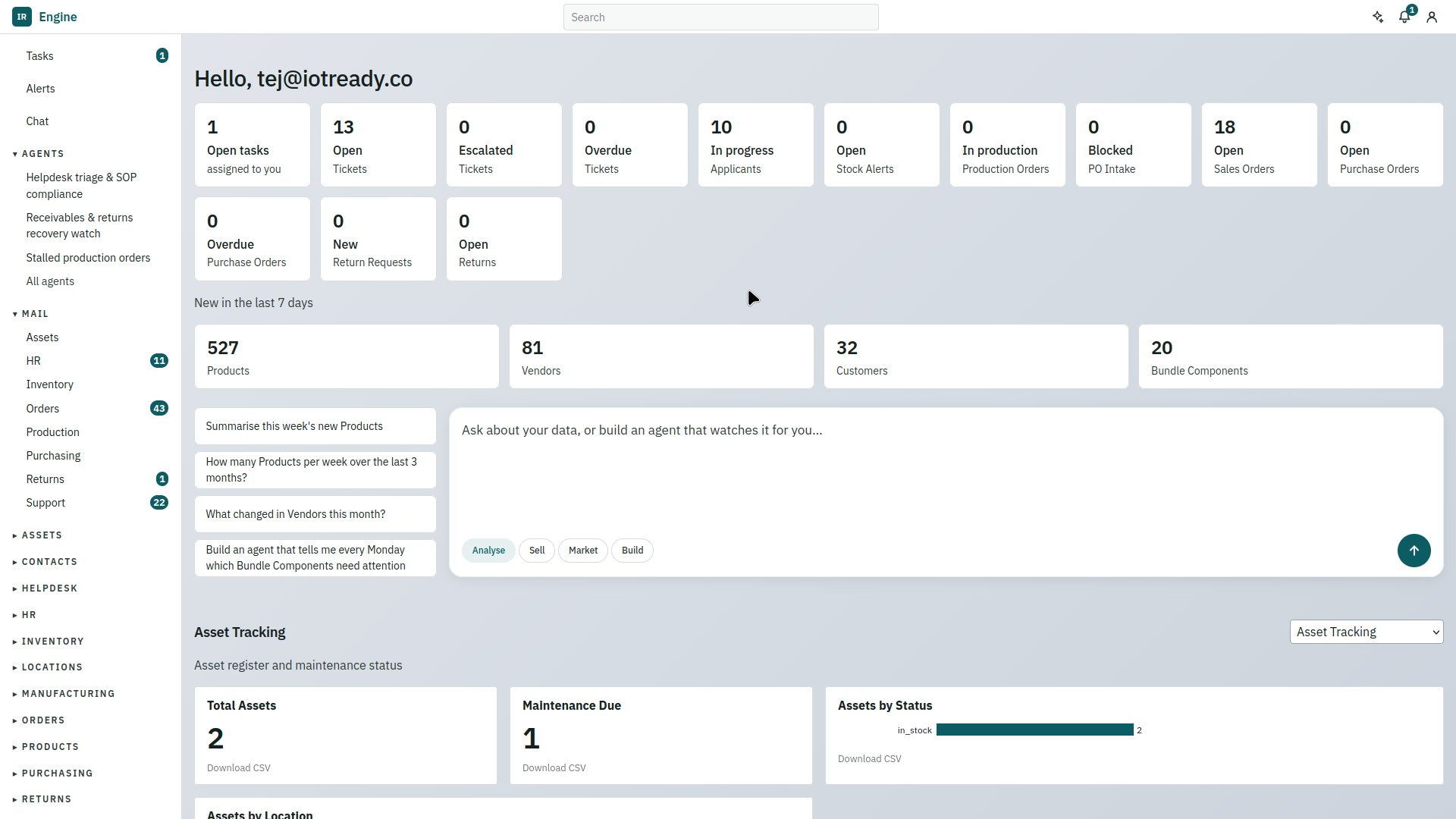
IoTReady Engine, or just Engine, is our software layer. It holds your records, your workflows and your rules in one workspace, with AI and IoT built into it rather than bolted on. Scales, scanners and sensors write into it, and the AI reads and changes it. It keeps all of that in step with whatever system of record you already run.
Identity + Quantity + Context = Truth. Engine holds those three together. Business rules decide whether a capture is allowed, the operator gets a green or red light on the spot, and the resulting document posts to your ERP. When a workflow changes, you change the rules yourself.

What comes in the box
Engine ships with more than 20 apps, including WMS, OMS, Asset Tracking, CRM and HR. Each one is a starting point you mould to your operation rather than a fixed product, and they share one workspace, so an order in the OMS and the stock in the WMS are the same record.
AI agents are part of that set. They run a morning WMS summary, or follow up on a CRM lead without waiting for someone to remember.
The Engineer
The Engineer is the AI builder inside Engine. Describe what you want in plain language and it builds it, and you review before anything goes live.
- Analyse. Ask about your data: “how many products per week over the last three months”, “what changed in Vendors this month”.
- Build. Have it make an agent that watches your data for you: “tell me every Monday which bundle components need attention”. Agents run on a schedule, report what needs a person, and propose actions for someone to approve.
- Sell and Market. Draft the follow-up, the quote or the campaign from the records you already hold.
Ask it to change a business rule or build a new app, and roll the change back at any time.
What the Engineer finds lands where people work: the tasks and alerts in the sidebar, next to the shared mailboxes your team already works from. It sets up connections too, such as your ERP, though credentials are always typed by you and never go through it.
Prefer another assistant? Connect Claude or ChatGPT and ask from there.
The mobile app
Engine has a mobile app for the floor. Operators follow the steps of an activity on a phone or a handheld: scan the crate, confirm the count, move on. The rules you set in Engine give them the green or red light on the spot, and what they capture goes straight into the workspace. It runs on any Android 7+ device, including Zebra TC and Urovo DT handhelds. Bring your own device: it also configures itself on Honeywell and Chainway handhelds, and works with the scanners and printers you already own.
The adoption guide says when to bring the app in, and why after the office is already working in Engine.
The three inputs
Identity
Which thing this is, read from a QR code, an RFID or NFC tag, a BLE beacon, a UWB tag or a GPS unit. Never typed.
Quantity
How much of it there is. Weight, temperature, vibration and distance, measured by a device.
Context
Where it is in the workflow, who is doing it, and what happened just before. Carried by the mobile app and synced both ways with your ERP.
What it connects to
| ERP and WMS | SAP, Zoho, ERPNext and others, over documented APIs |
|---|---|
| Weighing scales | Any RS232 serial scale, 100 g to 100 tonnes |
| Label printers | Zebra, TVS, TSC, Argox and others, USB or serial |
| Handhelds | Any Android 7+ device; Zebra TC and Urovo DT series |
| Authentication | SSO and LDAP, with data import and export |
| Deployment | Cloud, or on premise |
Where it runs, and keeping it safe
Run Engine on our cloud, on your cloud or on premise. The mobile apps work offline and sync when the network returns, and the database is backed up every second. SOC 2 and ISO 27001 certification are in progress.
The API reference
The developer reference is not published here yet. Write to [email protected] for the current API documentation and a sandbox workspace.